For one grandmother in Canada, and a granddaughter in Miami

The last thing Rach says on every call is I love you, Grandma.

Now Grandma hears it every morning, sends love back with a single touch, plays a game she can win, and knows that if she ever needs help, someone is already on the way.

Open the app Put it on her iPad
Grandma's home screen
Rachel Rachel
Miami, Florida

A project for one person, built for the hours between the phone calls.

Rachel's grandmother has dementia and lives in Canada. Rachel lives in Miami. Every call ends the same way. Then there's the whole rest of the day, and nobody there to fill it.

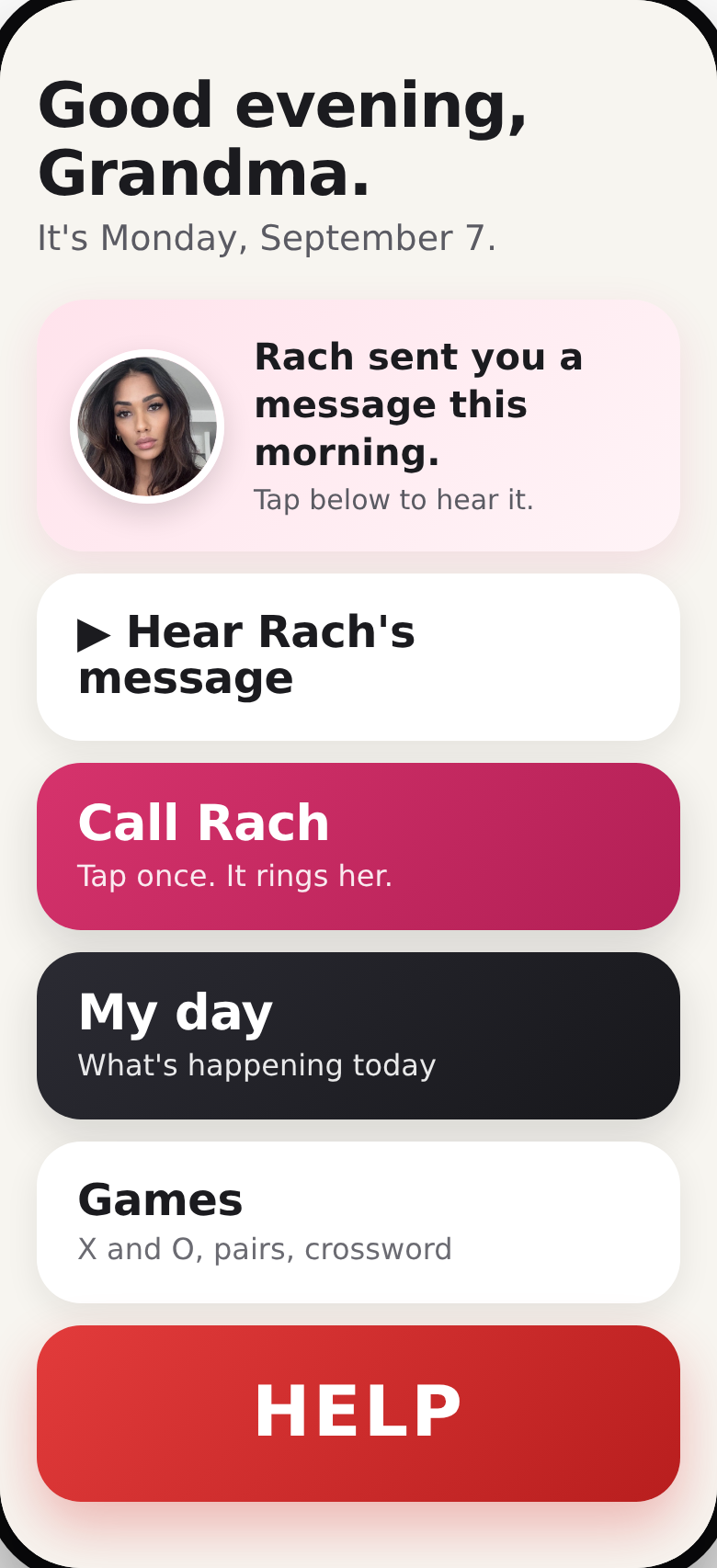
So this is for the rest of the day. Five large buttons, her granddaughter's face and voice, and a quiet screen on Rachel's phone that says nothing at all unless something is wrong.

What it does for her

People living with memory loss don't need a smaller version of a normal app. They need a few clear paths that work the same way every single time, in a voice they already love.

Company, first thing

A recorded message from Rach is waiting on the screen every morning. One touch plays it. One more sends her own voice back. The quietest hours of the day get a familiar face in them.

Games she can win

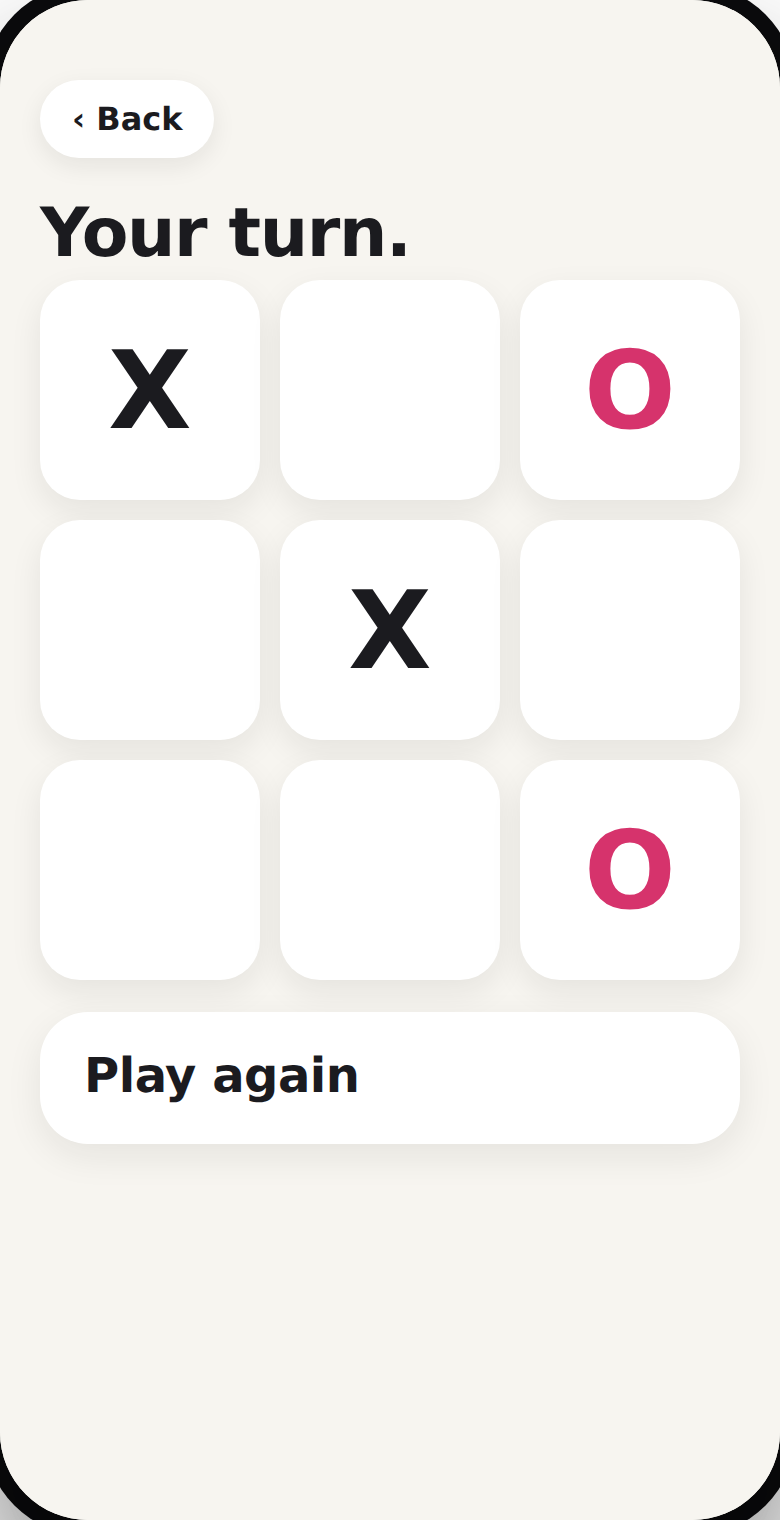
X and O, and Match the pairs. Large squares, no timers, no scores. The iPad plays gently, so most games end with "You won. Well done." A little daily thinking, without the frustration.

Her day, read aloud

Three things, in the words she uses. "Your pills are in the blue box." "Your ride comes at 1:30." One touch and it's read to her, so nothing depends on remembering to look.

Rach, one touch away

No contact list, no choosing. Her face, her name, and it rings. If there's no answer it rings again, and lets someone nearby know.

Help that calms before it calls

One red button, always in the same place. It says, out loud, "You're okay. You're at home. Someone is about to call you." Then it reaches the family, in the right order.

Works with her home

Optional sensors on the kettle, the pill box and the front door let the family know she's up and about, without her having to do anything at all.

What it does for the family

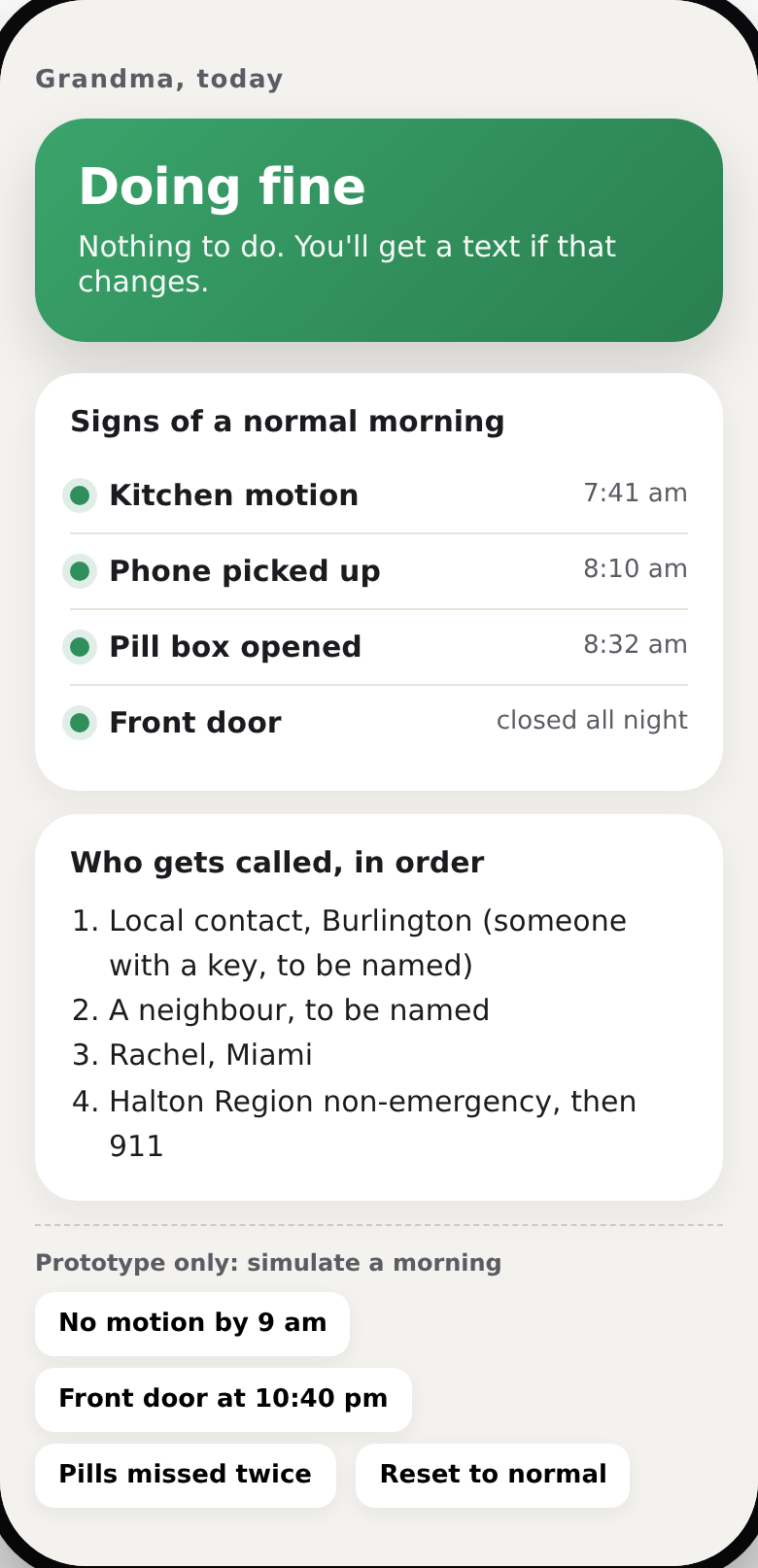
Nobody should have to watch an app all day. On most days, Rachel's screen says one thing, in green.

Doing fine. Nothing to do.
That's the whole screen when the morning looks normal.
Amber when something's off
Nothing moved by nine, the door opened late, the pills weren't touched. One sentence on what's happening and who has already been asked to check.
Red when it's now
She pressed HELP, or nothing has moved all morning. Her location, and the call list in order.
Her voice, kept
Every "send love back" arrives on Rachel's phone as a voice note. Something to keep.
Rachel's screen

On her iPad in two minutes

There's nothing to download from an app store. It's a website that behaves like an app, and it works without the internet once it's on her home screen.

1

Open it in Safari

On her iPad, open this page, enter the family password, and tap Open the app.

2

Add to Home Screen

Tap Share, then Add to Home Screen. A heart icon called Grandma appears, and it opens full screen.

3

Turn on Guided Access

In Settings, under Accessibility, so she can't wander out of the app by accident.

For the family side, Rachel installs the free Home Assistant app so alerts can ring through Do Not Disturb at night. The home sensors are optional and can come later.

X and O

Made with her, not only for her

Everything here follows what research on dementia keeps finding: keep it simple, keep it identical every time, prefer voice to text, and have the family set it up.

Then we put it in Grandma's hands and watched what she touched. She's the expert.

What it isn't

It isn't a medical device and it makes no medical decisions. It won't replace a person with a key who lives nearby. It's a way to make the ordinary hours of the day feel less alone, and to make sure the right person hears quickly when a day stops being ordinary.

I love you, Grandma.

Open the app